Best Shopify Themes 2026: 7 Fast Free & Premium Options (Compared)
If you’re building your first Shopify store, choosing a theme feels like picking a house before you’ve learned how to live in it. In short, the right theme improves speed, trust, and conversions at the same time. But your theme is not “just design”—it affects speed, trust, conversion rate, and even how easy it is to edit your store later. This guide compares the best Shopify themes 2026 for beginners, focusing on speed, design, and ease of setup.
Also, this guide is a companion to my step-by-step Shopify setup pillar: How to Start a Shopify Store in 2026 (Step-by-Step). The goal is simple: help you pick a theme that looks professional, loads fast on mobile, and doesn’t trap you in endless tweaking.
Quick picks (if you want the answer now):
- Best free theme for most beginners: Dawn
- Best premium theme for selling at scale: Booster
- Best for fashion/visual branding: Impulse
- Best for minimalist + speed: Spotlight
Why Your Shopify Theme Matters in 2026
A Shopify theme controls more than colors and fonts. It impacts:
- Mobile performance (where most ecommerce traffic comes from)
- User experience (navigation, product pages, cart flow)
- Conversion rate (how “buyable” the store feels)
- SEO basics (clean structure, headings, image handling)
For example, a slow theme can increase bounce rate and reduce add‑to‑carts, especially on mobile. Here’s the mistake many beginners make: they pick a theme based on a pretty demo, then add 15 apps to “make it work,” and the store becomes slow and messy. In 2026, speed and clarity win. A clean theme + good product pages usually beats a flashy theme with clutter.
A good theme should help you do three things fast:
- Show products clearly (good collection/product templates)
- Build trust (reviews, shipping/returns clarity, clean layout)
- Make checkout frictionless (fast, mobile-friendly, minimal distractions)
Best Free Shopify Themes for Beginners
Free themes are not “cheap.” If you’re starting out, free is often smarter because:
- You learn the platform without spending extra
- You can validate product demand before investing
- Shopify’s free themes are generally stable and well-supported
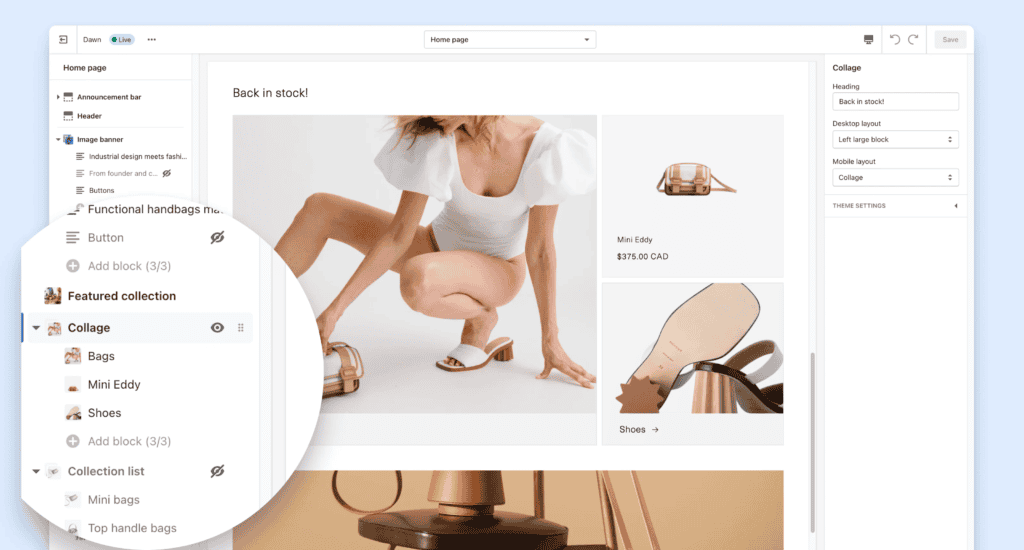
1) Dawn — Best Overall Free Theme
Best for: Most beginners, general stores, fashion, beauty, home goods
Why it’s great: Clean, modern, fast, and not complicated.
What makes Dawn a strong starter:
- Simple customization (you won’t break everything)
- Clean product page layout
- Looks “legit” even with minimal edits
Beginner tip: Don’t over-customize. Change logo, colors, and homepage sections first. Get the store live. Then iterate.
2) Spotlight — Best Free Theme for Speed + Minimalism
Best for: One-product stores, gadgets, accessories, minimalist brands
Spotlight works when you want the store to feel lightweight and focused. It’s a solid choice if:
- You’re selling a narrow product line
- You want a clean “Apple-style” vibe
- You care about simplicity over fancy features
Watch out: Minimal themes can look “empty” if your product photos are weak. If your images aren’t great yet, Dawn can hide imperfections better.
3) Refresh — Best Free Theme for Bold Branding
Best for: Beauty, wellness, supplements, brands with strong colors
Refresh is a good pick when you want a modern layout that feels brand-forward. It’s not the most minimal, but it can look premium if you:
- Use strong product photography
- Keep typography consistent
- Avoid too many badges and popups
Best Premium Shopify Themes
Premium themes typically pay off when:
- You’re making consistent sales
- You want more built-in sections and conversion features
- You don’t want to rely on multiple apps for basic functionality
In many cases, a premium theme is cheaper than stacking apps that slow the store down.
4) Booster — Best Premium Theme for Conversions
Best for: Dropshipping, general stores, scaling paid traffic
Booster is built for selling. It usually includes conversion-friendly features like:
- Sticky add-to-cart
- Countdown/urgency blocks (use sparingly)
- Upsell and cross-sell sections
- Strong product page layouts
Who should buy it: If you’re running ads or plan to scale quickly, Booster can save time. It’s designed to help you launch fast and optimize later.
Caution: Don’t turn on every “conversion widget.” Too many can reduce trust. Add features only when you have a reason (analytics, user feedback).
5) Impulse — Best for Fashion and Visual Brands
Best for: Fashion, lifestyle, boutiques, brands with lots of collections
Impulse is popular because it makes stores feel big and premium. It shines when you have:
- Many categories/collections
- Strong visuals (lookbooks, lifestyle photography)
- Seasonal promotions
Impulse can be a strong long-term theme if you plan to grow into a brand, not just test products.
6) Prestige — Best for Luxury / High-End Feel
Best for: Luxury, jewelry, premium skincare, expensive products
Prestige can make a store feel expensive. That’s the main reason to buy it. If your product price is high, the theme can reinforce the “worth it” feeling.
Downside: Some luxury themes look slow or heavy if you add huge images and too many sections. Optimize images and keep the homepage clean.
7) Debutify — Best “Toolkit” Theme for Beginners Who Want Options
Best for: People who want many add-ons and quick wins
Debutify is known for built-in widgets and add-ons. This can be helpful if you’re unsure what you need yet, but it can also create distraction.
Use it right: Start lean. Enable only what you can measure (e.g., abandoned cart recovery, trust badges, upsells).
Shopify Theme Comparison Table
| Theme | Price | Best for | Difficulty | My take |
|---|---|---|---|---|
| Dawn | Free | Most beginners | Easy | Safest pick, clean and fast |
| Spotlight | Free | Minimal + speed | Easy | Great if product photos are strong |
| Refresh | Free | Bold brands | Easy | Modern look, good for wellness/beauty |
| Booster | Premium | Conversions + scaling | Medium | Best for dropshipping and ads |
| Impulse | Premium | Fashion + collections | Medium | Premium look with strong visuals |
| Prestige | Premium | Luxury positioning | Medium | Great for high-ticket brands |
| Debutify | Premium/tiers | Widgets & flexibility | Medium | Powerful but avoid feature overload |
How to Choose the Right Shopify Theme (Simple Rules)
Next, match your theme to your catalog size and brand style. If you’re stuck, use these rules:
- Start free unless you already have sales.
If you’re pre-revenue, Dawn is usually the best choice. - Match theme to catalog size.
- 1–10 products: Spotlight / Dawn
- 50+ products: Dawn / Impulse (better navigation and collection layouts)
- Match theme to brand style.
- Minimal + modern: Spotlight
- Bold and colorful: Refresh
- Premium fashion vibe: Impulse
- Luxury positioning: Prestige
- Avoid theme hopping.
Switching themes later is possible, but it creates work (homepage layouts, templates, section settings). Pick a theme you can live with for at least 60 days.
How to Install and Customize a Shopify Theme (Beginner Steps)
Then, start with the homepage sections before touching apps or advanced customizations.
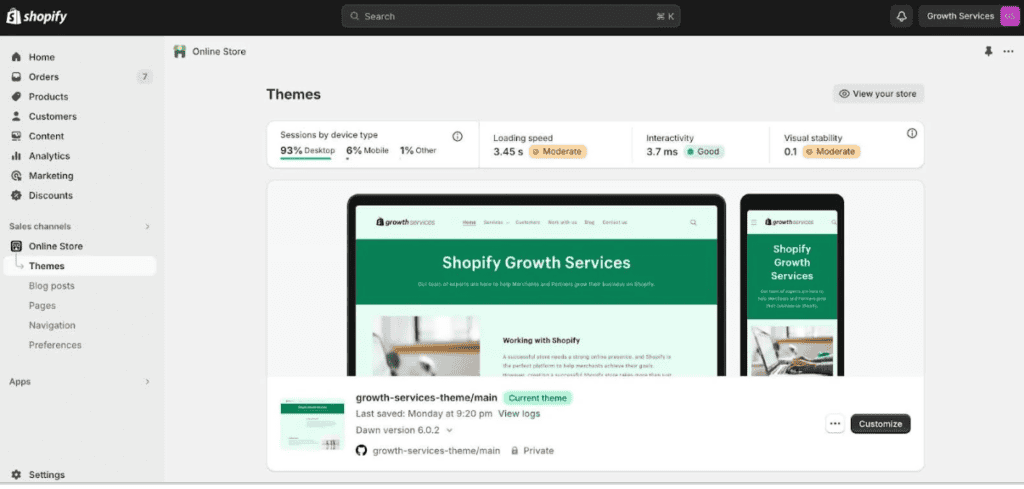
- In Shopify admin, go to Online Store → Themes
- Under “Theme library,” click Add theme
- Choose:
- Shopify Theme Store (safe)
- Upload theme (if you bought premium elsewhere)
- Click Customize
- Start with the basics:
- Upload logo
- Set colors
- Set typography
- Build homepage sections (hero, featured products, social proof, FAQ)
Best beginner workflow:
Homepage first → product page second → navigation third → only then apps.
Speed Tips: Keep Your Theme Fast
Theme speed is not magic—it’s habits.
- Compress images before uploading (big images are the #1 reason stores feel slow)
- Limit apps (each app can add scripts)
- Avoid autoplay video on homepage
- Use fewer fonts (1–2 max)
- Keep the homepage simple: hero + best sellers + social proof + FAQ
A store that loads fast and feels clear will outperform a “fancy” store that confuses buyers.
FAQs
What is the best Shopify theme for beginners in 2026?
For most people: Dawn. It’s stable, clean, and easy to customize without breaking layouts.
Are premium Shopify themes worth it?
Yes—after you validate your product and start getting sales. Premium themes can reduce app dependence and give you better sections.
What’s the fastest free Shopify theme?
Spotlight is usually a strong pick if you want minimal design and speed, but Dawn is the best “balanced” option.
Can I change my Shopify theme later?
Yes, but expect to redo homepage sections and some templates. Duplicate your live theme before making major changes.
Next Step (Internal Link)
Now that you’ve chosen a theme, go back to the main setup guide and complete your launch checklist:
How to Start a Shopify Store in 2026 (Step-by-Step)
Quick Theme Setup Checklist (Do This Right After Install)
Before you spend hours tweaking colors, lock down the basics that directly affect sales and trust. These are the first changes I make on every new Shopify store, even if I’m using a free theme.
Must-do settings
- Set your logo, favicon, and brand colors (keep it to 1 primary + 1 neutral).
- Build a clean header navigation: Home, Shop, About, Contact, Shipping & Returns.
- Create a simple homepage flow: Hero → Best Sellers → Social Proof → FAQ → Footer.
- Configure product page essentials: clear shipping note, returns line, and a sticky add-to-cart (if your theme supports it).
Quick speed win
After you upload images, run them through a compressor and keep hero images under ~300 KB. This single habit often makes a bigger difference than switching themes.
Two beginner mistakes to avoid
- Don’t add popups, countdown timers, and 10 badges on day one—too many “conversion tricks” can reduce trust.
- Don’t change your theme every week. Pick one, launch, and optimize based on real data (sessions, add-to-carts, checkout starts).
If you want a safe default: start with Dawn, keep it clean for 30 days, then upgrade only when your store is making consistent sales.
One more tip: keep your homepage lean. A huge slider, autoplay video, and five popups can look “cool” but usually slow the store down and confuse buyers. Start simple, then add sections only when your analytics proves they help.